Tag Archives: ereader

How to Decorate Your Kindle eReader

A few weeks ago, I stumbled across many Instagram reels and Youtube videos (such as this one by ItsRissa and that one from asmr rifa) about ladies who'd decorated their Kindles. How amazed I was! While I did like my pale pink flap case, I thought it lacked images and theme. And here was the solution!

So, how about we decorate your Kindle eReader together?


Materials

This project doesn't require many tools nor materials, but it does need for you to make a certain purchase (a transparent case).

Here's the stuff you'll need:


The Steps

First, I looked up images (pictures, illustrations, collages) I liked on Pinterest. Two of my stickers are made by Casthavian, No Mourners No Funerals and Na Rasrusha'ya E'ya Razrushost (which is a favorite of mine!) Then, I printed and cut them.

If you've got a sticker machine like I do, just pass them through the process right now. If you don't, we'll use glue a bit later.

I recommend trying out different compositions with the images on the carton before applying the glue or turning them into stickers.

Now, with our images printed and cut, we take the pair of scissors and the thin carton you chose to your liking.
IMG_0425_VSCO

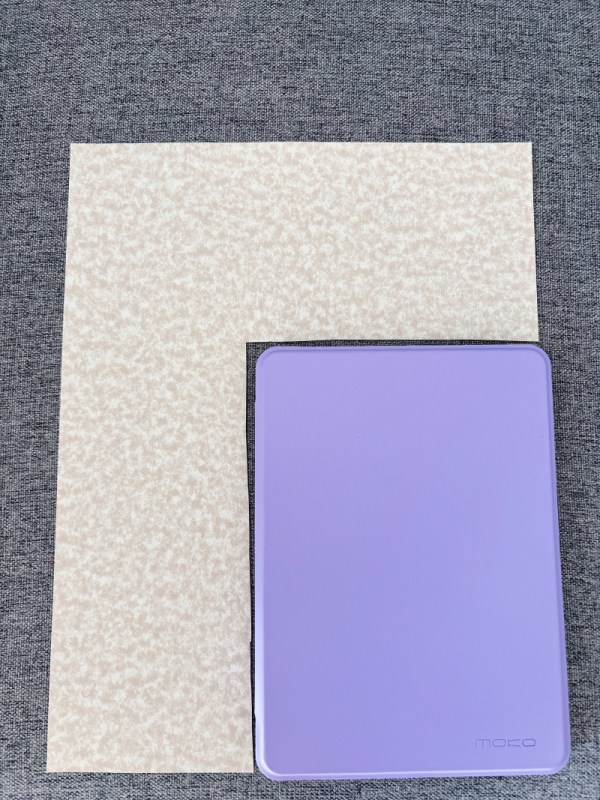
Next, we do a superpositioned fitting of the cardboard into the case, then we cut according to said dimensions so it fits inside. As you can see, I cut the thin carton according to the size of the Kindle case (I left a bit of room so you could see what I did), approximately to the correct size. You can use a ruler if you want to be more precise than me.

Once that's done, that's where the glue comes in and you stick your images in a pattern that suits your taste. If you have the stickers made with the machine, you just use those.

Lastly, you add small stickers you like such as stars, plants, cats… And you insert the carton into the case, then put your Kindle on it. Et voilà!


Summary of the steps:

1- Look up images you like on Pinterest and other such sites

2- Print the images and cut them

3- Try out different compositions with the images over the transparent case

4- Superposition the carton to the Kindle case and cut according to its dimensions

5- Make the stickers with the Sticker machine

6- Stick your images

7- Use your cute stickers

8- Insert the thematic carton in the case, face towards the plastic case.

9- Put your Kindle on it

10- YAY! 😀 You've got yourself a decorated Kindle case to your liking!


The Result

Now, you should have a sweet (or fire!)-looking Kindle eReader! Mine is Grishaverse-themed with pairings, characters, quotes, and colours I like.


IMG_0431_VSCO


You can also see it in the background of my Crooked Kingdom (by Leigh Bardugo) bookstagram. I think it came out quite pretty and exactly like I wanted for a thematic case!

What's yours? What theme or book did you choose to display?

Tell me how it went. Did you have trouble decorating your Kindle or was it a breeze?

See you next post, lovelies!

The Benefits of a Kobo EReader

Hello everyone,

A few months ago I got myself a Kobo eReader. An Aura H2O second edition that is. There have been rare times where I’m immensely satisfied I purchased an item… Well, this is one of those times, folks.

Here it is (with Never Enough Time by R.T.W Lipkin as background—a great ARC of mine for which you can read the review here):

Now, what about its benefits? Let me tell you I found many!

The Pros:

  • My sleep has improved SO MUCH since I bought this sweet Kobo, no kidding. I used to toss and turn at night for AT LEAST an hour (it was usually for an hour and a half), but now thanks to reading on my Kobo every night before going to sleep, it only takes me 20 to 40 minutes. It’s a wonder!

But why is that?

  • It’s because it’s got ComfortLight Pro! This means you set a time for the screen to become a light orange, thus it’s sweet for the eyes. More importantly (and that’s the winning point here), this feature removes most of the blue lights! So it does make it easy on your eyes and relaxes you. Perfect for sleep!

It’s been a real game changer for me. Or should I say… sleep changer? Please let’s never talk about this joke again.

  • The fonts are lovely and adjusting them is simple. Same goes for the paragraph spacing, a tool I particularly enjoy. I like when there’s a clear distinction between the paragraphs.
  • The search function is very useful.
  • It has Pocket Reader. If you don’t know what it is: a place (or account) where you can store Web pages and other important bits you find while browsing to read later on your account, then come back to it offline. Basically, you can read Web pages, watch embedded videos and other great stuff on your favourite eReader, yes! You can learn more here.
  • The Kobo shows you the percentage you’re in the book and your time spent reading a particular book and in total. It also lets you decide if you wish to see the percentage of completion or the page numbers, which is pretty neat and practical for book reviewers like me who prefer the latter.
  • One amusing thing Kindle doesn’t have, it’s badges (they’re called ”achievements”, but they look like badges!) When you’ve read 10 books, let’s say, you’ll have a full badge on your ”Achievements” page and you can share them on social media. What for? Boasting, I guess. I love checking what progress I’ve made now and then. There’s one problem though… It’s been acting crazy for the last three months. The system doesn’t give me the badges when they’re obviously complete and sometimes they’re filled to a certain percentage, then when I look again on another day the numbers have changed again! In other words, it was high fun in the beginning, but now it’s malfunctioning. And the worst part is they told me I would need to wait for the next update (which could be in months or even YEARS, they told me) to fix this issue. That’s frustrating.

Speaking of bad things, what of its cons?

The Cons:

  • It’s expensive. There,  I said it. If you want good quality and all, it’s approximately $200 CAD and it’s without the official case which costs about $50. Pricey, pricey. There was a $30 discount when I bought it, but then I purchased the official case and it came near $250 in the end.
  • Oh and it’s also a bit slow, but nothing major. I bet the software is to blame because my Kindle contains way more books and it’s faster than the Kobo. Imagine that!

That’s it. There’s mainly one bad thing about the Kobo and it’s its price, in my opinion.

In Conclusion:

Though being fair, I think the price is worth it. I mean, sleep? I’m in! And I like all the control you get and how it shows you everything you need to know about your reading progress and habit.

If you’re looking for an eReader, may I suggest a Kobo one?

And if you already have yours, what do you think of the Kobo?

See you next post, lovelies!

(As a little bonus, here’s my official Kobo case (I’d have chosen the red one, but there was none where I went…))